FIBA World Championship 2010

In case you’d forgotten, the 2010 FIBA World Championship starts tomorrow in Turkey. France’s chances are not looking great, especially after the desastrous results against the US, and Brazil.

A good opportunity for me to mention the new FFBB font designed by Christophe Badani, whose art has been on my desktop for years:

16.jpg

(That’s back in 2004, and this wallpaper has followed me around…)

JRuby: Reading Java Annotations

I have shown examples of how JRuby could invoke Java classes, in particular SWT components. Here is now another example, this time using JRuby to read annotations in Java classes.

Here is the situation: when using FitNesse, developers sometimes have to develop what is called fixtures, that is, Java classes that can be used (usually by a business analyst) to write tests in the FitNesse wiki. Fixtures then perform the actual testing and return the result so that it can be displayed on the wiki. They can be very straightforward, or they can interact with web pages (via Selenium, for instance) or even call web services. As they are to be used by non-developers, they have to be properly documented. One way to do this is simply by publishing the JavaDoc – but that would kind of ruin my JRuby example!

So let’s use annotations to document our fixtures. Here is an example of an annotation that could be used:

package com.weblogism.jruby;

import java.lang.annotation.ElementType;
import java.lang.annotation.Retention;
import java.lang.annotation.RetentionPolicy;
import java.lang.annotation.Target;

@Retention(RetentionPolicy.RUNTIME)
@Target(ElementType.METHOD)
public @interface FixtureHint {
    String usage();
    String description();
}

The RetentionPolicy indicates that this annotation will be available at runtime.

Fixtures can then be documented as follows:

package com.weblogism.jruby;

public class TheFixture {
    @FixtureHint(usage="| click the | _button_id_ | button |", description="clicks _button_id_")
    public boolean clickTheButton() {
        System.out.println("Click");
        return true;
    }
}

These classes are nicely packaged in a jar called test.jar. So how to use JRuby to find the annotations? Extremely simple:

require ’java’
require ’lib/test.jar’
include_class ’com.weblogism.jruby.TheFixture’
include_class ’com.weblogism.jruby.FixtureHint’

You first import all the Java stuff, such as your classes. Don’t forget that these include_class can be called dynamically, and therefore you could potentially search for all the relevant classes in the jar, and then import them all. Here, the jar is explicitly imported (it is located in the lib directory of the current working dir), but another way to make it “visible” to the script is add it to the $CLASSPATH environment var.

annotations = Hash.new
TheFixture.java_class.declared_instance_methods.each do
  |m|
  if m.annotation_present?(FixtureHint.java_class)
    annotation = m.annotation(FixtureHint.java_class)
    annotations[m.name] = annotation
  end
end

annotations.values.each do
  |a|
  puts "#{a.usage()}\\t#{a.description()}"
end

And that’s as simple as that: the Java methods isAnnotationPresent and getAnnotation become annotation_present? and annotation (à la ruby), and once they have been found, they can be manipulated like ruby objects.

JRuby version:

sebastien@greystones:~/workspace/sandbox$ jruby -v 
jruby 1.6.0.dev (ruby 1.8.7 patchlevel 249) (2010-08-10 f740f78)
(Java HotSpot(TM) 64-Bit Server VM 1.6.0_20) [amd64-java]

^{1} The example might be a bit convoluted, but it illustrates the use of annotations through a real-life requirement.

^{2} Fixtures would usually extend a fixture class, e.g. DoFixture, ColumnFixture, etc. but here it isn’t to keep things simple.
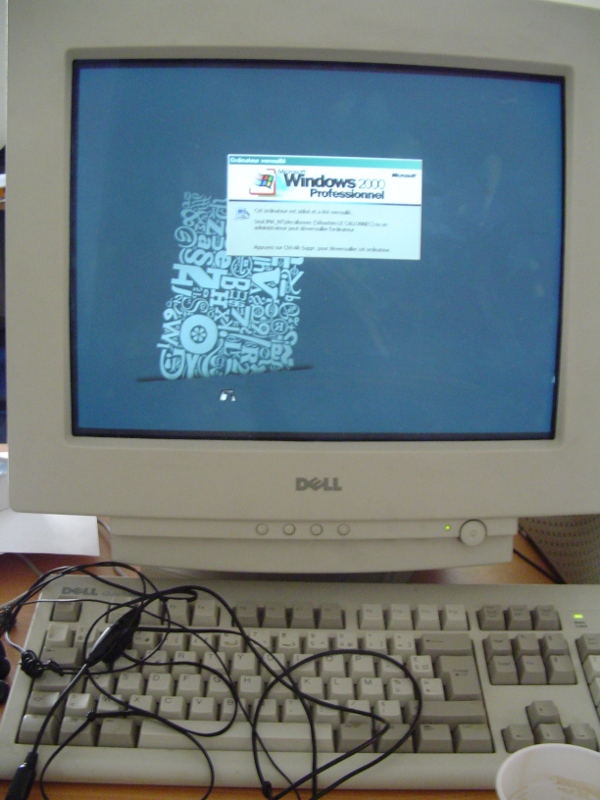
Eclipse Companion Shared Library gone AWOL

Coming back from hols, I decided to upgrade to Eclipse Helios, knowing that the morning wouldn’t be too hectic.

I had a minor glitch, though, with the following error:

The Eclipse executable launcher was unable to locate its companion shared library.

Not sure how I ended up in this situation (maybe unzipping with Cygwin was the cause?), but the fix was straightforward enough. Look for a dll in the plugins directory (I found it there: ./plugins/org.eclipse.equinox.launcher.win32.win32.x86_1.1.0.v20100503/eclipse_1307.dll); in Windows Explorer, right-click the file, click on Properties, and in the Security tab, make sure Read & Execute permission is set (either for everyone, or for the user you’re logged on as). Click OK, and that does the trick.

Do typefaces really matter?

They must do because the topic keeps popping up on the Beeb website…

“These people remind me of wine snobs – they can detect all these subtle notes and flavours but the average person probably won’t notice all these tiny flourishes on a font. When you’re reading an article you’re not thinking about the font. You have to be looking at fonts all day before you start getting emotional about them.”

Unmappable character for encoding UTF8

This classically happens in the following scenario: developers happily code in their Windows environment in Eclipse or whatever IDE they love, check in their stuff, and suddenly, CruiseControl spits out a whole lot of warnings, or even errors depending on how the build is configured. Looking at the code, everything compiles nicely on the developer’s machine:

public class EncodingExample {
    private final static String TEXT = "Éáíó";
    public static void main(String[] args) {
        System.out.println(EncodingExample.TEXT);
    }
}

Here is the Ant file used by the build in CC:

<?xml version="1.0" encoding="utf-8" ?>
<project name="test" default="compile">
    <target name="compile">
        <javac srcdir="src" destdir="classes" debug="true" />
    </target>
</project>

And yet, the CruiseControl logs show the following:

[javac] Compiling 1 source file to /home/sebastien/workspace/sandbox/classes
[javac] /home/sebastien/workspace/sandbox/src/EncodingExample.java:2: warning: unmappable character for encoding UTF8
[javac]     private final static String TEXT = "����";
[javac]                                         ^
[javac] /home/sebastien/workspace/sandbox/src/EncodingExample.java:2: warning: unmappable character for encoding UTF8
[javac]     private final static String TEXT = "����";
[javac]                                          ^
[javac] /home/sebastien/workspace/sandbox/src/EncodingExample.java:2: warning: unmappable character for encoding UTF8
[javac]     private final static String TEXT = "����";
[javac]                                           ^
[javac] /home/sebastien/workspace/sandbox/src/EncodingExample.java:2: warning: unmappable character for encoding UTF8
[javac]     private final static String TEXT = "����";
[javac]                                            ^
[javac] 4 warnings

Here is what happens: when working on Windows, the IDE is more than likely configured to edit files in Cp1252, which is a Microsoft adaptation of latin-1. Teh developer checks in, and the Continuous Integration server (usually running on Linux, which nowadays is all utf8) picks up the file, and tries to compile as a UTF-8 file, hence the warning.

The way to solve this is: – Either save the file as UTF-8 (you can configure Eclipse for example to use UTF-8; make sure that you check in Eclipse preference files as well as so that everybody uses the same), but everybody has to make sure they use that encoding, – Or modify the Ant script to compile the file as latin-1:

<?xml version="1.0" encoding="utf-8" ?>
<project name="test" default="compile">
    <target name="compile">
        <javac srcdir="src" destdir="classes" 
                           encoding="cp1252" debug="true" />
    </target>
</project>

You can also try encoding"iso-8859-1"=. It is not wrong not to use utf-8 in itself (as in, cp1252 is not a bad “encoding”); you just have to make sure you keep the same encoding everywhere… And working with Windows and Linux at the same time, it can sometimes prove tricky.

^{1} It contains, in particular, French characters missing from latin-1 such as œ, Œ, and Ÿ. As well as our beloved European €.

MySQL and UTF-8

When working with UTF-8 on MySQL, it is not enough to define the CHARACTER SET and the COLLATE parameters to utf-8 when creating the database. You also have to tell MySQL that the queries you’ll be calling are utf-8. Indeed, by default the character set used by the connection and the result sets is latin-1:

mysql> SHOW VARIABLES LIKE ’character_set%’;
+--------------------------+----------------------------+
| Variable_name            | Value                      |
+--------------------------+----------------------------+
| character_set_client     | latin1                     |
| character_set_connection | latin1                     |
| character_set_database   | utf8                       |
| character_set_filesystem | binary                     |
| character_set_results    | latin1                     |
| character_set_server     | latin1                     |
| character_set_system     | utf8                       |
| character_sets_dir       | /usr/share/mysql/charsets/ |
+--------------------------+----------------------------+
8 rows in set (0.00 sec)

When doing your queries yourself with mysqlquery, this can be a source of confusion, as your data is stored properly in UTF-8, but still comes back funny. That’s something that recently bit me as I was fiddling with an old version of ezSQL which didn’t allow the user to change the encoding.

You can force utf-8 by executing the following:

SET NAMES ’utf8’;

Which is equivalent to:

SET character_set_client = utf8;
SET character_set_results = utf8;
SET character_set_connection = utf8;

In recent PHP (>= 5.2), you can also execute:

mysql_set_charset(’utf8’,$conn);

Libraries like Propel usually handle that quite well by specifying a configuration option, and relieving the developer from these worries. Typically, the runtime configuration settings for Propel would be:

<config>
 <propel>
  <datasources>
   <datasource>
    <connection>
     <!-- ... -->
     <settings>
      <setting id="charset">utf8</setting>
     </settings>

For Rails, it is also very similar. When defining your database instance in config/database.yml, you can also give the encoding parameter:

development:
  adapter: mysql
  encoding: utf8
  reconnect: false
  database: pouet_dev
  pool: 5
  username: root
  password: pouet
  host: localhost
  socket: /var/run/mysqld/mysqld.sock

For Hibernate, arbitrary connection properties can be passed by using the property name, with hibernate.connection preprended to the name.

<property name="hibernate.connection.characterEncoding">UTF-8</property>

This parameter is the MySQL Connector/J parameters used by the driver to indicate the encoding (note that the documentation indicates that SET NAMES ’utf8’ would not work with Connector/J). Examples will probably follow…

^{1} Not sure recent versions do either?

Jersey Typography

I am currently watching Uruguay v. Ghana, and I was thinking that the font on both teams’ jersey was really cool. And despite being both equiped by Puma, the font is radically different, which is also pretty cool…

Well, it turns out that I’m not the only one having these thoughts whilst watching a football match, so here we go: World Cup Typography: Paul Barnes on fontfeed.com.

Good to see that lettering on jersey is taken that seriously!

How to run some commands for XeLaTeX only?

To call some commands when running xelatex on a file, I use an old trick that was quite useful when I wanted to run commands for pdflatex, and not for plain latex: I check that a given primitive is present or not, and if it is, do XeLaTeX stuff, else just do normal things:

\
ewif\\ifxelatex
  \\ifx\\XeTeXglyph\\undefined
    \\xelatexfalse
  \\else
    \\xelatextrue
  \\fi

% You can now use \\ifxelatex to execute XeLaTeX-specific stuff
\\ifxelatex
\\usepackage[french]{polyglossia}
\\usepackage{xltxtra}
\\setmainfont[Mapping=tex-text]{Times New Roman}
\\else
\\usepackage{babel}
\\usepackage[utf8]{inputenc}
\\usepackage{times}
\\usepackage[T1]{fontenc}
\\fi

The trick here is the check whether the \\XeTeXglyph primitive is present; if it is, the file is being XeLaTeX’ed, otherwise it’s probably PDFLaTeX’ed, or even LaTeX’ed, or whatever. The same can be achieved by importing the ifxetex package, which provides a ifxetex command.

Strangely enough, when defining french as a documentclass option, it doesn’t automatically get passed to polyglossia, as I’d expect it, as it does for PDFLaTeX – almost made me believe for a while that polyglossia was broken for the French language, when it was just not getting the option.